




jqIsoText - Text Effect jQuery Plugin
Some content on our pages are more important than other and we want to made him eye catching. There are lot of techniques to achieve that. One of them is jqIsoText.? This plugin allow us to changing size of letters in text. It starts from one font size and increment or decrement to other font size. On that way we’re getting something similar to isometric projection. That can be done for whole block of text or for every word in some text.
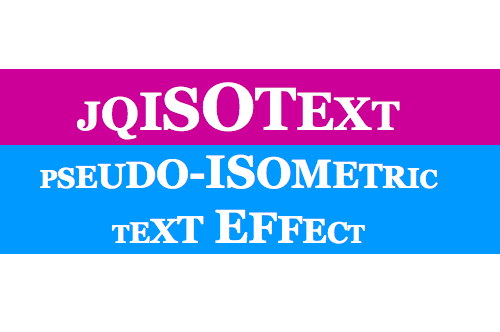
Implement this plugin is pretty simple, first download jQuery and jqIsoText and include on your page like this:
<script src="js/jquery.js" type="text/javascript"></script>

<script src="js/jqIsoText.js" type="text/javascript"></script>
After that all you have to do is to select element on which you want to apply effect and call jqIsoText.
<script>

$(".elem").jqIsoText();

</script>
Requirement: jQuery framework
demo:http://workshop.rs/projects/jqisotext
License: MIT License

 0
0
 509
509







1 Comment
kiwus
03.20.2010
It should be forbidden for typographical reasons. Unless you’re an expert in typography and really know how to break the rules you’ll end up messing things up
There are no trackbacks to display at this time.